You don’t need to be a techie to put AI to work in your business. In this hour-long session for Tamarac North Lauderdale Chamber of Commerce members, Jerry Martinez shows the tools he uses every day, builds real things live, and answers the questions owners ask most: is it safe, which one should I use, and what will I need two years from now.
Jump to a chapter
- 5:14 What AI actually changed: you can now talk to a computer and it takes action.
- 7:38 The 1995 Letterman and Bill Gates clip, and why we’re at that stage with AI.
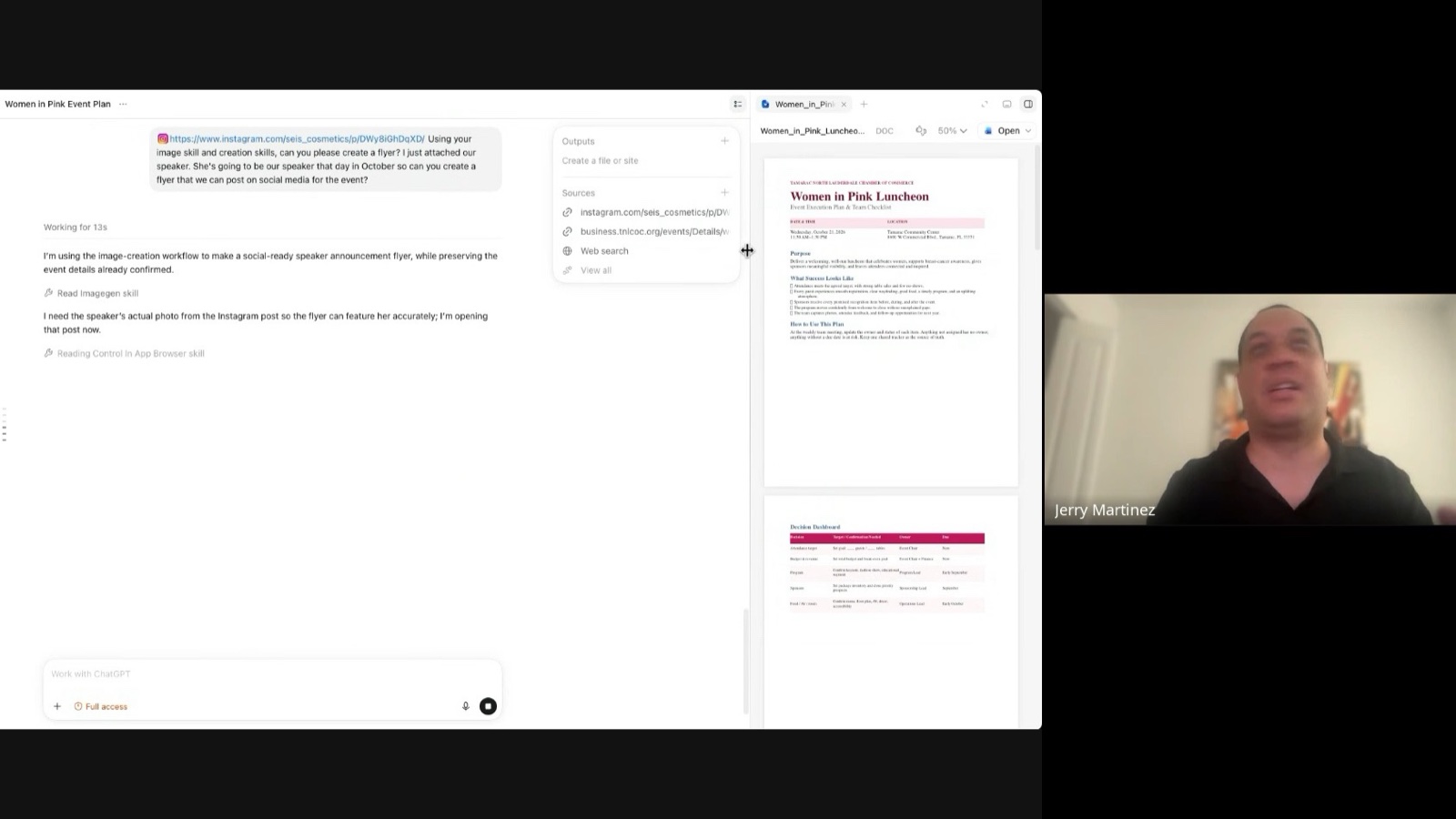
- 11:43 ChatGPT plan mode and voice mode: planning a chamber luncheon in minutes.
- 16:07 Connect your tools: Gmail, calendar and drive through connectors (MCP, in plain English).
- 25:33 Give AI a memory: projects and markdown files.
- 31:08 Skills: turning a four-hour monthly report into ten minutes.
- 32:12 The browser extension: AI that opens sites, logs in and pulls your data.
- 37:30 Dashboards on demand from any data source.
- 42:10 Vibe coding: five apps without a coding class, and Ray makes a phone call.
- 50:01 Q&A: privacy, which platform, phone versus desktop, and what to have in place within two years.
The one idea behind all of it
For forty years you had to learn the program: the menus, the clicks, the file formats. Generative AI flipped that. You speak to the computer in plain language and it understands your intent, looks things up and does the work. Jerry’s comparison is the 1995 talk-show clip where the internet sounded silly. We are at that moment with AI: already useful, and nowhere near what it will become.
Seven things you can start doing this week
1. Talk instead of type
Jerry dictates almost everything with Wispr Flow, a voice tool that types and cleans up what you say in real time, in any app. It is about $15 a month, and he is not paid to recommend it. The point isn’t the product. It’s that AI understands you well enough that the keyboard is optional.
2. Plan before you prompt
For anything bigger than a quick question, use plan mode in ChatGPT or Claude. The assistant asks you questions first and agrees on the approach before it starts, which saves time and produces better work. Live demo: a full plan and checklist for the chamber’s Women in Pink luncheon, delivered as a Word document that would have taken a person an hour or two.
3. Connect it to your tools
The desktop apps (ChatGPT and Claude Cowork) connect to Gmail, your calendar, your files and most business software through connectors. Jerry had Claude find a board member’s address in his inbox and draft an email, which he reviews and sends himself. The assistant drafts; a human presses send. He also uses it to pull the history of every conversation with a media rep without searching. Any number of email accounts can be connected.
When an owner asked how that works, Jerry gave the plain-English version of an MCP server: it is the door an app opens so an AI can work inside it. Computers don’t need menus and dropdowns to talk to each other. Expect more of the software you already use to add one.
4. Give it a memory
Stop repeating yourself. Put the context of a job in a project, or in a simple markdown file the assistant reads every time. Jerry’s example was personal: a daily food log the AI coaches him on. Its advice was to cut the orange juice, eat less rice and play more basketball.
5. Turn repeat work into a skill
A skill is a saved set of instructions for a task you do over and over. Jerry’s monthly TV ratings report used to take four hours of spreadsheets and slides. With a skill, he types a slash command and it runs in about ten minutes, including logging into the ratings site through the browser extension, downloading the data and building the summary.
6. Let it use your browser and your screen
The Claude browser extension opens websites, fills forms and reads pages for you when there is no connector. Image generation handles the flyer for your next event from a photo and a sentence. Dashboards appear on request: Jerry monitors where client ads are running, how many impressions and conversions they produce, and what they cost, on a page the AI built and refreshes itself.
7. Build the software you wish you had
Jerry has built five apps for Sunray without ever taking a coding class, by describing what he wanted to Claude Code. One of them is Ray, an assistant modeled on Jarvis from Iron Man. On the webinar, Ray placed a live phone call to a board member and reported back. It isn’t perfect yet, and Jerry said so, but the point stands: custom software that used to be a Fortune 500 budget is now a conversation. Expect it to flow the other way too. Google now lets people ask it to call businesses for quotes, so your front desk will start hearing from AI callers.
Is it safe? The privacy questions, answered
An owner asked how safe it is to put company information into these tools. Jerry’s guidance: don’t put Social Security numbers, EINs or personal health information into a chat, and treat the free and $20 plans as public-grade. Businesses that need more control use enterprise plans, or local models that run on their own computers and never leave the building (Ray runs on Jerry’s machine). A member added the useful reminder that most data leaks come from a person pasting the wrong thing in the wrong place, not from the tool.
Which AI should a small business use?
Jerry’s honest answer: he finds Claude the most reliable for his workflows, ChatGPT is exceptional at image generation and content, and Gemini is strong with video because Google owns YouTube. They copy each other’s features within weeks. Try them, and keep the one that fits how you work.
Phone or desktop? About 80% of what you need now works on the phone, and you can hand off a task on the desktop and check its progress from your phone. The heavy lifting, like browser automation and building apps, still runs best on a computer. Repeatable jobs can be scheduled, so the monthly report is waiting for you on the first of the month.
What every local business will need in two years
Asked what owners should have in place within 24 months, Jerry gave one answer: a brand people already know. As customers hand more shopping and research to AI assistants, you cannot rely on an assistant recommending you. It might. But the businesses that win will have built the awareness and the demand themselves, so that when the need arrives, the customer, and the AI, already have the name. Businesses don’t fail from bad service. They fail when nobody knows they exist.
That is where Sunray comes in. We help South Florida business owners build that recognition across TV, streaming, radio, social, search and AI assistants, and we work alongside in-house marketing teams that want the extra hands. If you want an honest read on how AI, search and your competitors see your business today, book a free marketing diagnostic.
Enjoyed the session? Jerry asked members to leave a comment in the chamber’s Facebook group, and he is always ready to talk AI at the next event.